A spreadsheet, word processor and presentation editor for desktop and browser.
IronIngot
Opens the .xlsx you were sent, and saves one back.
A spreadsheet, a word processor and a presentation editor sharing one document engine, on the desktop and in the browser. They read and write the real Office formats rather than converting to something else and hoping.
Windows 10 and 11, 64-bit
Signed by ATS All Technology Solutions. Because the certificate is new, Windows SmartScreen may still warn for a while; choose More info, then Run anyway.
DownloadIronIngot-0.2.3-windows-x86_64-setup.exe · 25 MB
SHA-256
cb3fab4d94513374c8211c2ec133c9ebfc10094fdac60d207f6372ed996c4ffbLinux .deb — Ubuntu, Debian, KDE Neon
Install it from the folder you downloaded it to.
sudo apt install ./IronIngot-0.2.3-linux-x86_64.debDownloadIronIngot-0.2.3-linux-x86_64.deb · 10 MB
SHA-256
a3e7c0817b7029da3df8d2d8cf166906eb5f1ba84c13612ce9a29d37ae9b2be8Linux AppImage — any distribution
Make it executable, then run it.
chmod +x IronIngot-0.2.3-linux-x86_64.AppImage && ./IronIngot-0.2.3-linux-x86_64.AppImageDownloadIronIngot-0.2.3-linux-x86_64.AppImage · 110 MB
SHA-256
e413100c1a437a33b90a5425f957039c87e1c9d74e2562ae64a0d22a8fa042ad
Getting started. Without a licence key IronIngot opens documents read-only. Ask us for a trial key.
- Formats
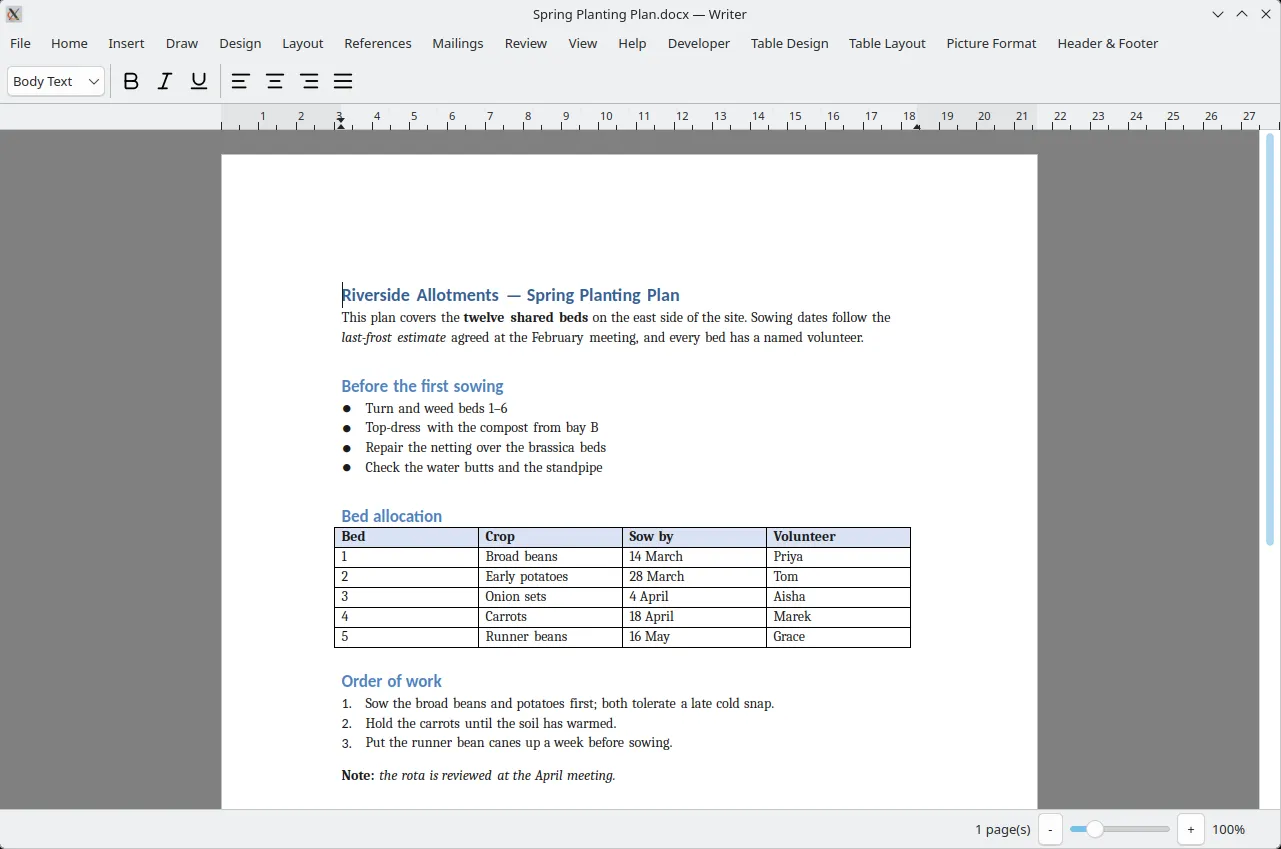
- Reads and writes .xlsx, .docx and .pptx
- Spreadsheet
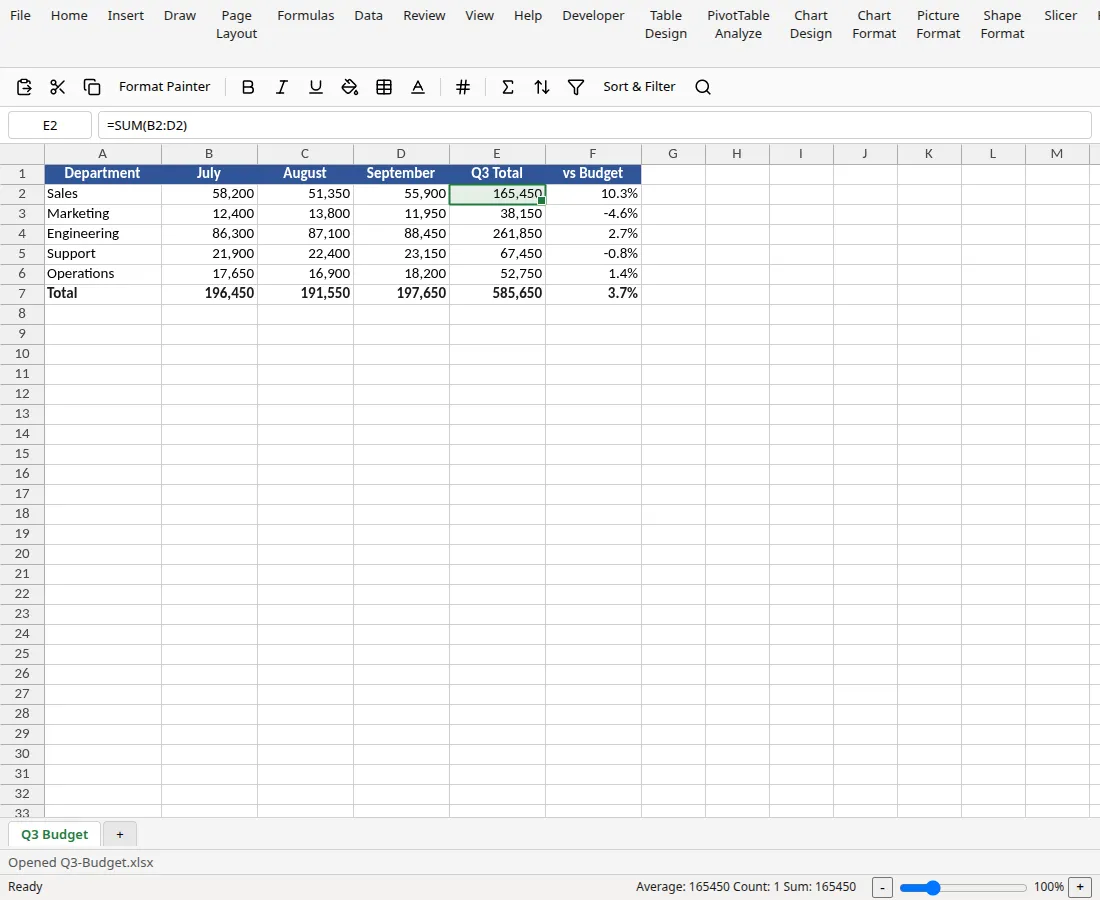
- 134 functions, ordered recalculation, 10 chart types
- Export
- PDF, rendered from what is on screen
- Platforms
- Linux packaged and proven, web via WebAssembly
- In the browser
- Edits documents stored in IronDrive, in place
- Tested against
- Real Office output, not a specification alone
Your existing files stay intact
Parts of a file the editors do not yet understand — pivot caches, themes, custom styles — are preserved byte for byte and written back on save. Opening a document in IronIngot does not quietly strip what it cannot display.
The PDF matches the screen
Export draws from the same display list the editor renders, so the exported document is what you were looking at, not a second implementation that drifts.
Recalculation in the right order
The spreadsheet works out which cells depend on which and recalculates along that graph, so a chain of formulas settles correctly in one pass.
Copy and paste works with Excel
Data copied out lands in Excel as data, and data copied in from Excel arrives as cells rather than a block of text.
PivotTables that recompute, not a frozen block
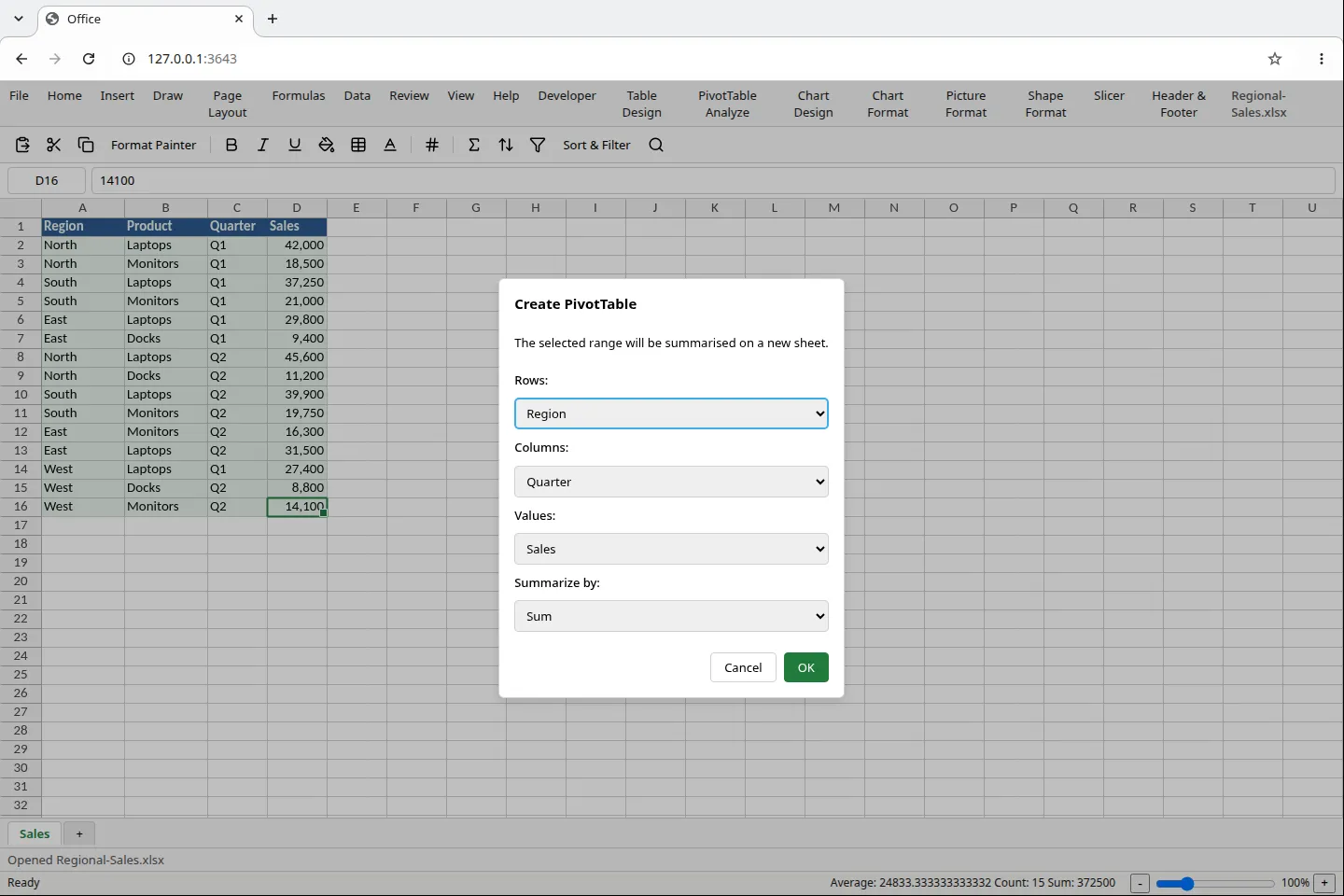
A PivotTable is stored as a definition rather than pasted values, so it reruns against the live cells and its fields and aggregate can be changed afterwards. Fields are chosen from four dropdowns rather than dragged into a field list. The limit worth knowing before you depend on it — a file saved here opens in Excel with the right numbers as ordinary cells, not as a pivot object Excel can re-pivot. Pivots that arrived in an Excel file are preserved as they were.
One engine, two faces
The desktop applications and the browser version share the same core, so a file behaves the same in both rather than the web version being a limited preview.
It exists to remove a per-seat fee
IronIngot was built so IronDrive could stop paying a per-user licence to a third party for in-browser editing. That cost saving is the whole reason it is worth writing.